Changelogs
Stay up to date with the latest changes and enhancements.
Stay up to date with the latest changes and enhancements.

Stay up to date with the latest changes and enhancements.
14. Apr 2026
Share
 New Features
Reusable tone of voice presets: Save your organization's tone of voice settings as presets and reuse them across courses. Manage presets from a new organization settings page, including creating, editing, and removing presets.
Default themes: Introduced a suite of default themes that are available on all plans. Customers with Custom Themes can edit and delete custom themes in the same manner as other themes they have built.
Additional fonts: Expanded the font library with additional options (including Clash Display and General Sans fonts) to give you more design flexibility.
Course topics: Topics now appear as individual pill-shaped tags when creating a course, making them easier to add, view, edit, and remove. Suggested topics are clearly marked once added, and a 5-topic cap keeps courses focused for learners.
Learning outcomes: Learning outcomes are now clearly marked once added, and a 9-outcome cap ensures a focused learner experience.
Constrain width layout option: A new "Constrain width" layout option lets you control how wide content spans on the page for cleaner, more readable lessons.
 Bug Fixes
List item colors: Fixed list bullet and number colors so they correctly match the chosen text color in lists.
Accessibility improvements in the editor and sidebar: Addressed a range of accessibility issues across the sidebar, lesson list, cover page, headers, quiz and true-or-false components — including better keyboard focus, ARIA handling, and heading semantics.
SCORM return value fix: Fixed an issue where SCORM's doLMSSetValue returned no value in some contexts, which could cause compatibility problems with certain LMS platforms.
SCORM upload label: Corrected the SCORM label shown in the share/export menus so it displays the right wording.
Comments anchoring to the wrong block: Fixed a bug where clicking the comment button on a custom node would attach the new comment to wherever the cursor was previously, instead of the block you were hovering.
Scrollbar closed the language dropdown: Fixed a bug in the "Translate course to..." language picker where clicking the scrollbar accidentally closed the dropdown.
Backdrop blur in PDF exports: Removed backdrop-blur effects when rendering PDFs so exported documents no longer show unexpected blur artifacts.
Layout cell positioning: Fixed an issue with how columns inside layout grids determined their position, leading to more reliable layout rendering.
Course category ordering in audio streaming: Fixed an issue in audio processing where categories were read in a strict order that could cause incorrect transcription grouping.
Font loading in PDF/PPTX exports: Fixed font-loading issues in the export service so fonts render correctly in generated PDFs and slide decks.
Analytics events firing too early: Fixed a bug where analytics events were sent before the page had finished loading, leading to inaccurate tracking.
Default lesson parameters: Corrected the default values used when generating lessons so new courses start with the intended settings.
 Improvements
More accurate text extraction: Improved how the app extracts plain text from lessons for downstream processing, leading to better accuracy.
Removed deprecated source input types: Cleaned up old, unsupported source types from the course creation flow so only supported formats are offered.
Organization tracking in analytics: Analytics events now capture organization information, improving usage reporting for teams.
Add card button on lesson groups: Added a dedicated "Add card" button at the bottom of each lesson in the sidebar. Clicking it opens the card type picker and inserts a new card directly at the end of the lesson (in edit mode).
25. Mar 2026
Share
Timelines, Steps, Cycles & More
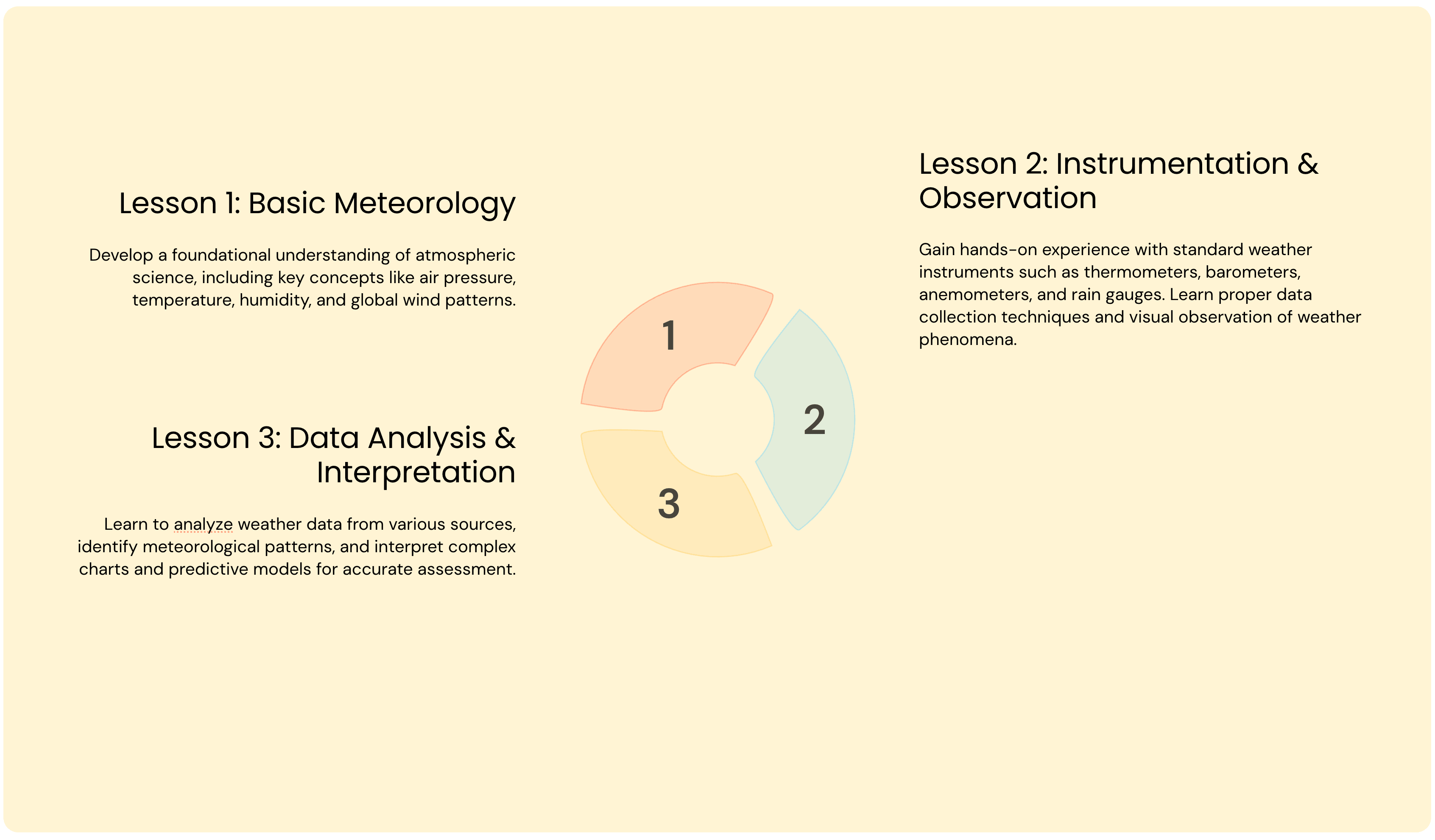
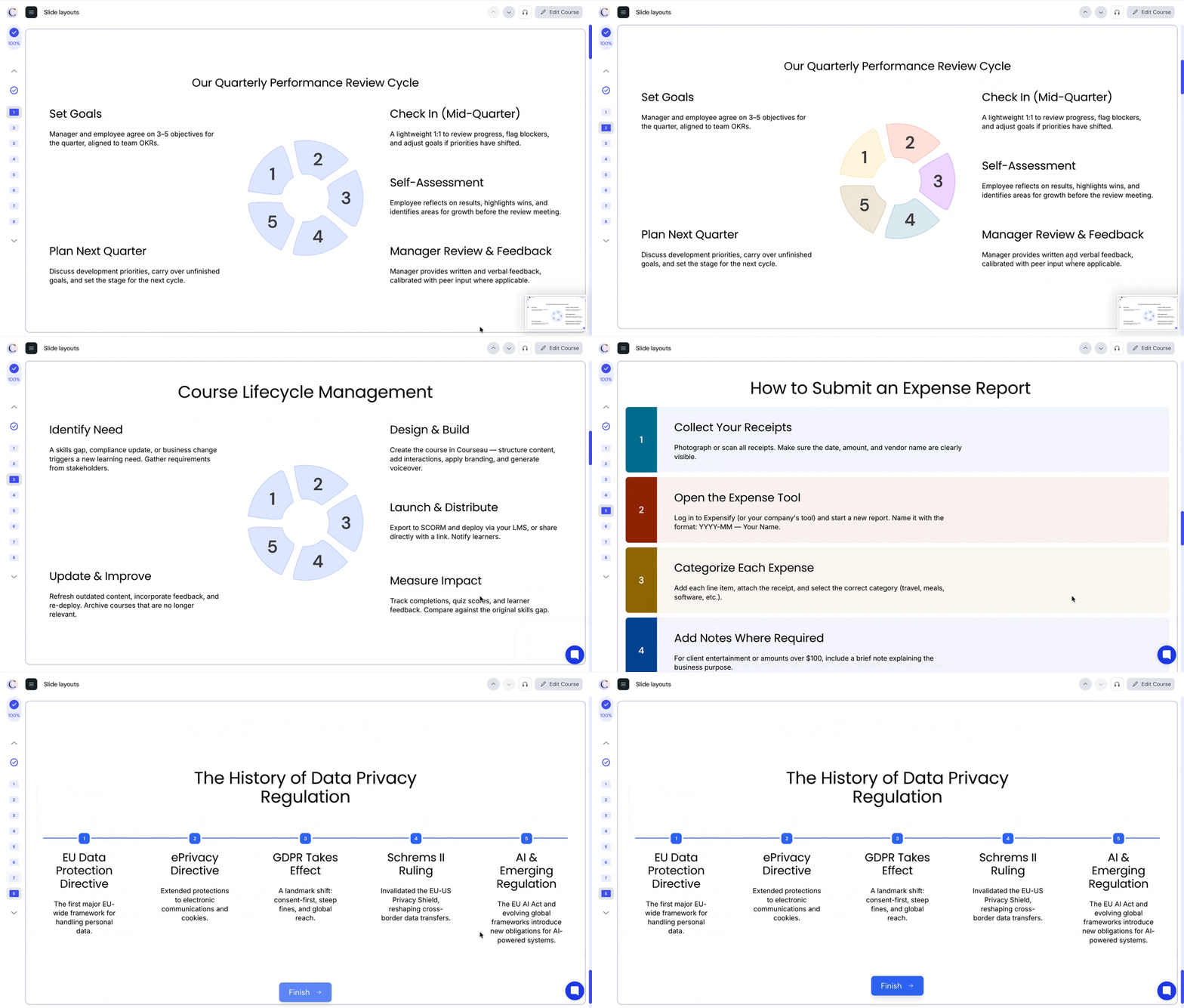
Turn any process into a visual story. Our layout elements make it easy to break down complex workflows, sequences, and repeating cycles into scannable visuals.
Choose from a range of layout styles, and customize colors across the entire section or individual steps to match your brand or highlight what matters most.
What can you build with these?
Timelines are perfect for onboarding journeys (e.g. "Your First 90 Days"), product roadmaps, project milestones, or course overviews in compliance training.
Steps work great for standard operating procedures, how-to guides, troubleshooting flows, or any sequential process like "How to Submit an Expense Report."
Cycles shine when you need to show repeating processes — think performance review cadences, continuous improvement loops (Plan → Do → Check → Act), or seasonal planning workflows.
17. Mar 2026
Share
New Features
More Elements in Columns: Removed restrictions that prevented adding certain elements (like Flip cards) when editing inside a column block.
Bug Fixes
SCORM Download Fix: Resolved an issue where downloading a SCORM package for an integrated course could fail.
Search Fix for Non-PDF Sources: Fixed a crash that could occur when searching course content generated from YouTube videos or web URLs.
File Type Detection: Improved how uploaded file types are detected during processing, avoiding edge cases that could cause failures.
Improvements
Updated Pricing Page: Refreshed the pricing page and available plans with associated feature list and descriptions.
Improved Matching Activity Layout: Swapped column order so draggable items appear on the left, changed drag behavior to swap items instead of reorder, and instructions are now always visible.
10. Mar 2026
Share
New FeaturesMatching Activity: Added a new interactive matching activity where learners can match pairs of items together, available as a new element type in the lesson editor.
New Text-to-Speech Voices: Added 2 new voice options, Cedar and Marin, for the text-to-speech audio narration feature, giving course creators more choices for how their courses sound.
Inline Images in Lessons: Images can now be placed inline within text content, allowing for more flexible and visually rich lesson layouts.
Bug FixesFonts Display: Resolved an issue where courses using could encounter rendering inconsistencies when loading.
Large File Transcription: Resolved an issue where uploading large audio or video source files for transcription could fail with a timeout error.
File Upload Errors: Fixed a crash that could occur when a media file upload encountered an undefined file reference.
Public URL Import: Improved reliability of importing content from public web URLs, fixing cases where certain websites would block the content extraction.
ImprovementsImage Display Defaults: Images now default to 'fit' sizing, ensuring they display fully without being cropped.
Expanding Marker Images: Interactive images with marker hotspots now expand to a larger size for better visibility on hover.
03. Mar 2026
Share
New FeaturesImage focal point: You can now set the focal point for images set to fill in the image element. Hover over an image, select Focal Point in the element toolbar, drag to set the focus and then click Focal Point to save.
Bug FixesSCORM export downloads: Resolved issues where SCORM package downloads could fail or produce incomplete exports. Downloads now use a more reliable streaming approach.
Flipcards in PDF exports: Flipcard elements now render and display correctly when exporting courses to PDF format.
Sticky images in cards: Images set to sticky positioning within card layouts now properly stick during scrolling again.
Background color bleeding: Resolved an issue where a project's custom background color would incorrectly apply to pages outside the cover page.
Toolbar buttons not responding: Fixed a bug where clicking toolbar icons in the editor would not register properly.
Slide formatting with special characters: Resolved an issue where AI-generated slides containing apostrophes or special characters would render incorrectly.
Floating menu positioning: Resolved an issue where the floating menu in the editor could appear in the wrong position.
ImprovementsSide panels: The comments and elements side panels now share the same panel.
Sorting element in insert menu: The sorting interactive element can now be inserted directly from the insert popover menu when editing course content.
Upgraded drag-and-drop interactions: Replaced the drag-and-drop library with a more modern and accessible solution, improving reliability and touch support for sorting, ranking, and quiz elements.
Better sorting layout on mobile: The sorting activity now stacks categories vertically on mobile screens instead of side-by-side, making it easier to use on smaller devices.
Upgraded AI models: Upgraded to Claude Sonnet 4.6 for course outline generation and Claude Haiku 4.5 for response repair, producing higher quality and more reliable course structures.
Refreshed editor icons and menus: Updated editor interface with consistent iconography across all content block types and an improved insert menu.
Enhanced chart editing: Better paste support, custom chart colors, and fixed overlap issues in the chart editor.
Faster media loading: Added caching for project media sets, reducing load times for courses with many images and media files.
Improved source file processing: Switched to true headless Chromium for processing uploaded files, improving reliability when extracting content from web pages and documents.
17. Feb 2026
Share
New FeaturesChart Element: Added a new chart editor that allows you to create bar charts, pie charts, and line charts directly within your course lessons and customize the colors of each data series. You can paste data from spreadsheets, define chart labels and values, and see a live preview.
Custom Themes: Custom themes are now the default theming system when available to your organization. Themes created at the organization level are automatically available to all courses within the organization. Theme creation and editing options are gated based on user permissions, only admins are able to create and edit themes.
Bug FixesFixed SCORM score reporting on early exit: Learner score is now sent when the learner has finished the course rather than on progression through the course to enable increased accuracy in SCORM reporting.
Fixed editor menu overlap: Fixed an issue where nested content block menus in the editor could overlap each other, making them difficult to use.
Fixed preview background color on iOS: Fixed an issue where the course preview page background color would not fill the entire viewport on iOS devices.
Fixed theme editing state: Fixed an issue where the theme editor state could get out of sync, causing unexpected behavior when editing organization themes.
Fixed navigation in course creation flow: Improved navigation behavior in the course creation screen to prevent browser history issues when moving between creation steps.
ImprovementsPreview page update: The course preview page has been updated for mobile so that the learner actions such as continue are visible on the screen and no longer requires scrolling to access.
Refreshed editor toolbar icons: The floating menu when an element is selected now shows the icon for the element. All menus in the editor have been updated so that element icons match across all occurrences.
Improved library navigation reliability: Improved the reliability of navigating between the course library and individual courses by using full page transitions.
Faster media loading with caching: Improved performance when loading course media by implementing a caching mechanism that reduces redundant database queries.
Improved backend reliability for AI processing: Fixed a configuration issue in the AI processing backend that could cause connection failures in certain deployment environments.
09. Feb 2026
Share
New FeaturesTheme Management for Business and Enterprise: Organize and manage your course themes more efficiently. You can now apply, edit, duplicate, and delete themes directly from the course editor. Themes can also include a custom logo that is automatically applied to your courses.
Static SCORM Export for Business and Enterprise: Business and Enterprise customers can now export courses as static SCORM packages, which are more compatible with certain LMS systems.
Convert Mode Released: Convert mode is now available to all users. Transform existing content into interactive courses with a streamlined creation flow.
Vimeo Embed Improvements: Enhanced support for Vimeo videos, including the ability to embed unlisted and private videos in your courses.
Bug FixesFixed content discard after regeneration: Fixed an issue where clicking ‘Discard’ after regenerating content would close the dialog without actually discarding the changes.
Fixed standalone mode stability: Fixed an issue that could cause errors when using Courseau in standalone mode.
Fixed SCORM font loading: Fixed an issue where custom fonts were not loading correctly in SCORM exports.
ImprovementsImproved error messages: Added clearer error messages when uploading unsupported file types.
Regional storage support: Improved reliability and performance with support for regional storage, enabling faster file processing in different geographic regions.
File upload security: Improved security when extracting files from uploaded archives by validating file types.
Improved style loading: Improved how styles are loaded in the course editor for better performance.
02. Feb 2026
Share
New FeaturesAudio narration for ranking and sorting activities: AI-generated audio narration now correctly reads content from ranking and sorting activities, providing a better audio learning experience for these interactive elements.
Bug FixesFixed sidebar navigation in course preview: Clicking on sidebar items in the course preview now correctly navigates to the selected card. Also improved accessibility for screen readers.
Fixed text formatting toolbar closing unexpectedly: The text formatting toolbar now stays open when selecting options from dropdowns, preventing the menu from disappearing mid-edit.
Fixed custom HTML embed resizing: Custom HTML embeds now properly resize when their content changes, ensuring embedded content displays correctly.
Fixed ranking and sorting activity data formatting: Ranking and sorting activities now properly format their questions and explanations, ensuring rich text formatting is preserved.
Improved data synchronization when switching tabs: Course data now refreshes more reliably when returning to the Courseau tab.
ImprovementsFaster course loading performance: Optimized database queries for faster course loading, especially for courses with many lessons and media files.
Automatic scrolling to new modules: When adding a new module to your course, the page now automatically scrolls to show the newly added module.
Improved editor content handling: The course editor now handles content updates more reliably, reducing issues with content not appearing correctly after edits.
Enhanced accessibility for progress indicators: Progress indicators and card navigation now have improved screen reader support and keyboard navigation.
16. Jan 2026
Share
New FeaturesNew Match Activity: Interactive matching exercise where learners drag and drop items to match pairs, with exam grading and SCORM support.
Irish Language Support: Full Irish (Gaeilge) localization for course content and translations.
Parent Course Navigation: Easily navigate to the parent course from the translations menu.
Bug FixesFixed Tone of Voice Setting: The tone setting now saves correctly when creating courses.
Fixed Learning Outcomes Validation: Validation now works correctly during course creation.
Fixed Heading Levels in Flip Cards: Corrected heading hierarchy for better accessibility.
Fixed Column Resize Behavior: Resize handles no longer jump unexpectedly while editing.
Fixed Image Resizing: Images stay in place when resizing, and keyboard resizing works correctly.
Fixed Preview Content Display: Regenerated content now displays correctly in preview mode.
Fixed Trial Upgrade Redirect: Page now refreshes properly after upgrading from a trial.
Fixed Folder Loading: Resolved an issue that could prevent folders from loading correctly.
ImprovementsUpgraded to Claude Opus 4.5: Course generation now uses the latest AI model for improved content quality.
Improved Course Editor Accessibility: Enhanced keyboard navigation and screen reader support throughout the editor.
Improved Flip Cards Accessibility: Better screen reader announcements for flip card interactions.
Better Language Detection: Improved browser language matching for automatic translations.
Faster Course Outline Generation: Course outlines now generate more quickly.
Better Source File Processing: Improved how images from your source materials are matched and included.
More Reliable Audio Transcription: Better handling for longer audio files.
09. Jan 2026
Share
New FeaturesSource Indicator for Lessons: See which source materials are used in each lesson, making it easier to track where your content comes from.
Bug FixesFixed Invite Upgrade Flow: The invitation upgrade process now works correctly.
Fixed Inline HTML Formatting: Bold, italic, and other styling now renders correctly in converted documents.
Fixed Page Number References: More accurate page citations in generated content.
Fixed Audio Transcription Service: Audio transcription starts correctly in all cases.
Fixed Editor Collaboration: Initial content no longer interferes with real-time collaboration.
ImprovementsImproved Accessibility for Carousels and Flip Cards: Enhanced keyboard navigation and screen reader support in 21 languages.
Better Error Messages: Clearer explanations when something goes wrong during course generation.
Real-time Lesson Status Updates: The editor now auto-refreshes when a lesson's status changes.
Increased Yearly License Credits: 50 credits/month (up from 25) for yearly subscription plans.
Library Refresh After Upgrade: Your library now refreshes automatically after upgrading your plan.